On 31 March 2026, malicious Axios releases 1.14.1 and 0.30.4 reached npm through a compromised maintainer account. The maintainer's post-mortem describes the publication outside the project's normal release process. The immediate question for downstream teams was which developer machines and builds consumed those artifacts.
An Axios entry in a repository does not prove compromise. A clean dependency tree today does not rule out earlier exposure. This guide separates the incident facts from the evidence needed to investigate a particular build, then explains how to improve dependency review without overstating what a lockfile or scanner can establish.
The 23 October revision replaces unsupported prevalence figures and product detection claims with an artifact-based response workflow. It preserves the original publication date.
What happened in the Axios npm attack
The malicious releases added plain-crypto-js as a dependency. Its installation script retrieved platform-specific payloads. Microsoft's 1 April analysis describes remote-access malware targeting Windows, macOS and Linux and recommends credential rotation for affected installations.
Datadog's investigation explains that the attacker bypassed the legitimate CI/CD publication path. It also documents cleanup that removed the install script and replaced package metadata, complicating later inspection. Its analysis identifies implementation problems in some payloads, so package exposure should not be described as identical successful exploitation on every operating system.
| Component | Incident relevance |
|---|---|
axios@1.14.1 | Compromised release on the 1.x line |
axios@0.30.4 | Compromised release on the 0.x line |
plain-crypto-js@4.2.1 | Malicious dependency used in the delivery chain |
| Historical build and install records | Evidence of whether an environment resolved and installed the affected packages |
The attack reached the installation environment. Do not restrict an investigation to the production web server: a developer workstation or build runner may have installed the package and held valuable credentials even when the deployed application never executed it.
Reconstruct the build before changing the evidence
Start with the exact build or environment under investigation. Preserve relevant logs and artifacts before routine cleanup or rebuilding overwrites them. Do not reinstall a suspect dependency to see what happens.
Collect the repository commit, historical manifest and lockfile, package-manager version, effective install command and runner identity. Compare those records with any artifact inventory and deployment record. If a package proxy or cache was used, record that source as well.
Our lockfile investigation walkthrough covers the review process. The important distinction is between a proposed dependency change and the artifact a particular build actually consumed.
| Observation | What it supports | What it does not establish alone |
|---|---|---|
| Affected version in a historical lockfile | The recorded dependency resolution included that version | The install completed or the payload executed |
| Build log showing the affected install | The runner consumed the package during that job | Every possible payload succeeded |
| Relevant process or network evidence | A stronger basis for investigating execution or communication | The full extent of credential use afterwards |
| A clean lockfile after remediation | The current dependency resolution has changed | Earlier hosts, credentials and artifacts are clean |
| No retained logs | A gap in the investigation | Absence of compromise |
This worksheet is an investigation aid, not a detection result from a BreachLine experiment. Preserve uncertainty where the evidence is incomplete.
Scope credentials by what the process could access
An install script inherits the permissions and accessible resources of its execution environment. The practical response question is which credentials were present or retrievable there, not how popular the dependency was.
Build a list of accessible cloud roles, package publication tokens, repository tokens, SSH material, environment secrets and mounted configuration. Identify each credential's owner and permissions. Also check whether it could obtain other credentials or modify a deployment pipeline.
For affected environments, coordinate containment, evidence collection and credential revocation with the response team. Rotate from a trusted environment, and rebuild affected systems from reviewed inputs before introducing replacement secrets. Review identity and publication logs for unexplained activity during the relevant period.
Removing the dependency addresses one input. It does not revoke stolen credentials, remove an independently installed payload or undo changes made with the compromised access. Keep those recovery tasks explicit and assign an owner to each unresolved item.
What npm ci and ignore-scripts actually protect
A committed lockfile makes dependency selection reviewable. According to npm's ci documentation, npm ci requires an existing lockfile and fails when it disagrees with package.json, rather than updating the lockfile to make them match. It is a reproducible-install mechanism, not a malware verdict.
Where the application's build supports it, a trusted replacement build can disable package lifecycle scripts:
npm ci --ignore-scripts
The option prevents package scripts from running during that install. It does not make malicious code safe when something executes it later. npm also documents that commands explicitly intended to run a script still run that named script even with ignore-scripts configured. Check the entire build workflow and test compatibility before relying on the setting.
| Control | Useful purpose | Remaining question |
|---|---|---|
| Reviewed lockfile | Makes version and dependency changes visible | Were the selected artifacts reviewed and obtained from the intended source? |
| Integrity hashes | Checks that downloaded bytes match recorded bytes | Were the recorded bytes trustworthy when approved? |
| Restricted install scripts | Reduces code execution during dependency installation | Does another build step execute the same package code? |
| Limited runner credentials | Reduces accessible secrets and permissions | Which mounted files, services and delegated roles remain reachable? |
| Retained build evidence | Supports later exposure investigation | Can a deployed artifact be traced back to those inputs? |
A newly added dependency deserves an explanation, but lack of a source-code import is not enough to classify it as malware. Dependencies can support build steps, command-line tools or optional behaviour. Review the purpose and execution path.
Turn the incident into a repeatable dependency review
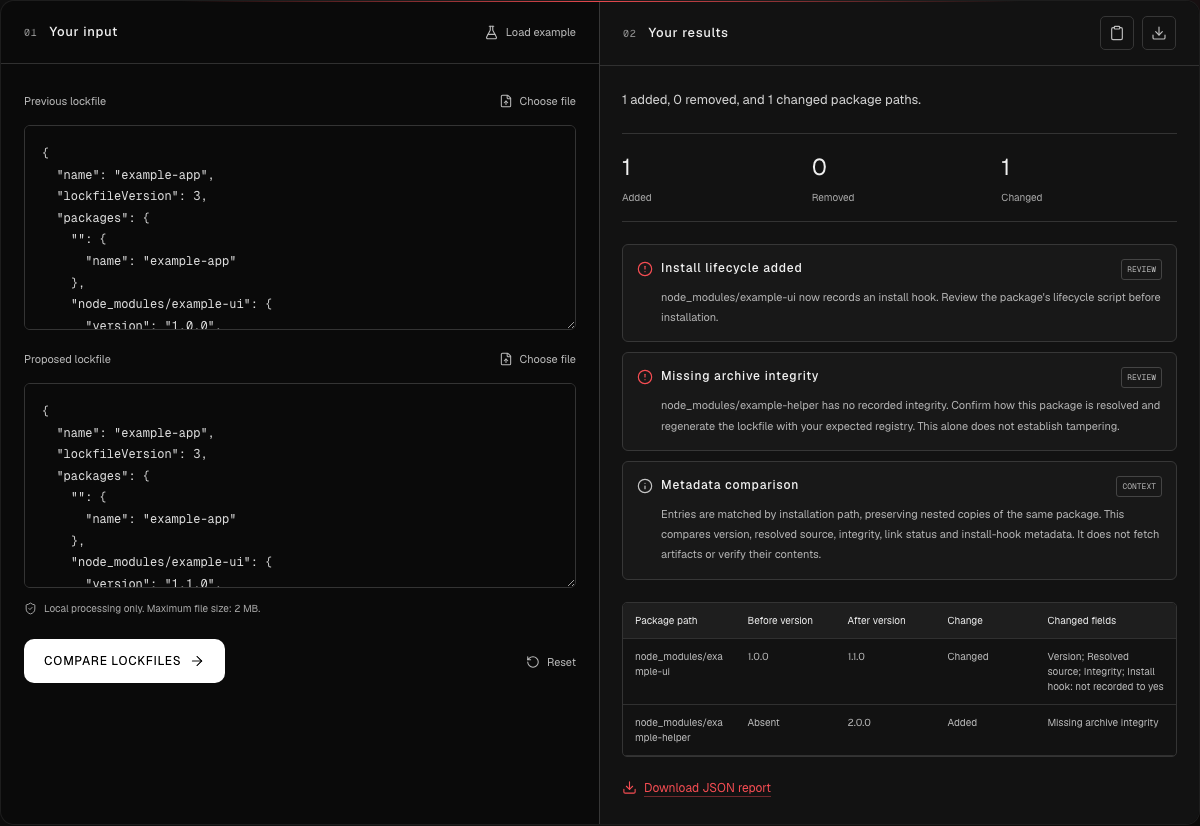
Before merging a dependency update, compare the old and new lockfiles. Investigate added packages, changed registries, unexpected versions and script behaviour. Record why the change is expected and which build verifies it.
Use the lockfile comparison tool to inspect a supported pair of lockfiles, and the npm configuration review for registry and installation settings. These tools review supplied text; they do not execute a dependency or certify that an installed artifact is benign. The pre-merge lockfile checklist explains how to connect the signals to a review decision.
For Python environments, the LiteLLM incident guide shows why interpreter startup files require a different inspection procedure. Keep each incident's indicators and affected versions separate.
Where application pentesting fits after recovery
Once the build and credentials have been addressed, test the restored application's security boundaries within an approved scope. That can reveal application-level problems, such as an authorisation failure or unsafe server-side request handling. It does not establish that an earlier package compromise never occurred.
Use the supply-chain review tools for dependency and configuration inspection, and the AI penetration testing guide for application assessment. The supply-chain security whitepaper connects these practices through the trust relationships between source, builds, artifacts and deployment.